What should I do if the budget limit is exceeded?
Individual budget top-ups are supported, allowing businesses to flexibly respond to changing fund requirements without adjusting the overall budget plan. A top-up can be initiated for a specific budget alone — allocating funds precisely without affecting the normal use of other budgets.
Steps
1. Via the sidebar navigation, click Budget Management > Top Up
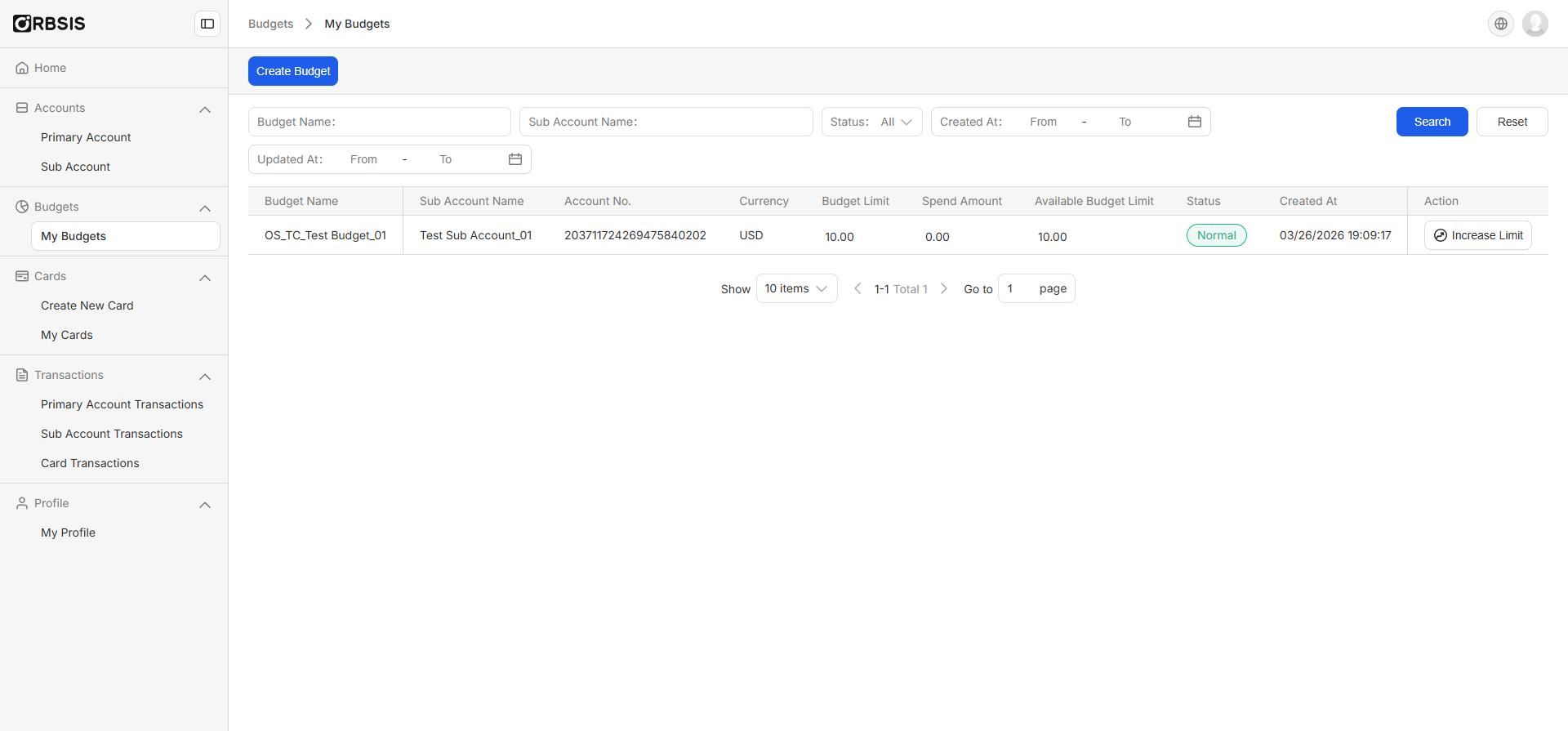
2. Confirm the name of the budget to be topped up, and enter the amount to increase
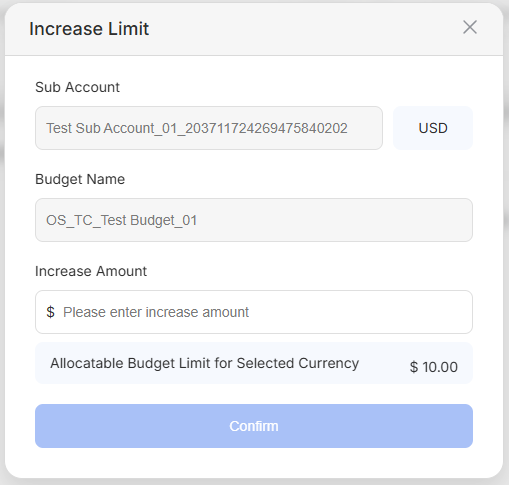
3. Budget top-up successful — the system automatically updates the available limit for the corresponding budget