How do I create a budget?
Businesses can create independent budgets for different business lines, departments, or projects to confine fund usage within preset limits. All spending and expenses are recorded and tracked under the corresponding budget, enabling granular control over the business's overall fund usage and effectively preventing overspending.
Prerequisites for creating a budget
- A Sub Account has been successfully opened
- The associated Sub Account has available budget capacity — the budget amount will be allocated from the Sub Account's available budget capacity, and the budget cannot be created if the balance is insufficient
Steps
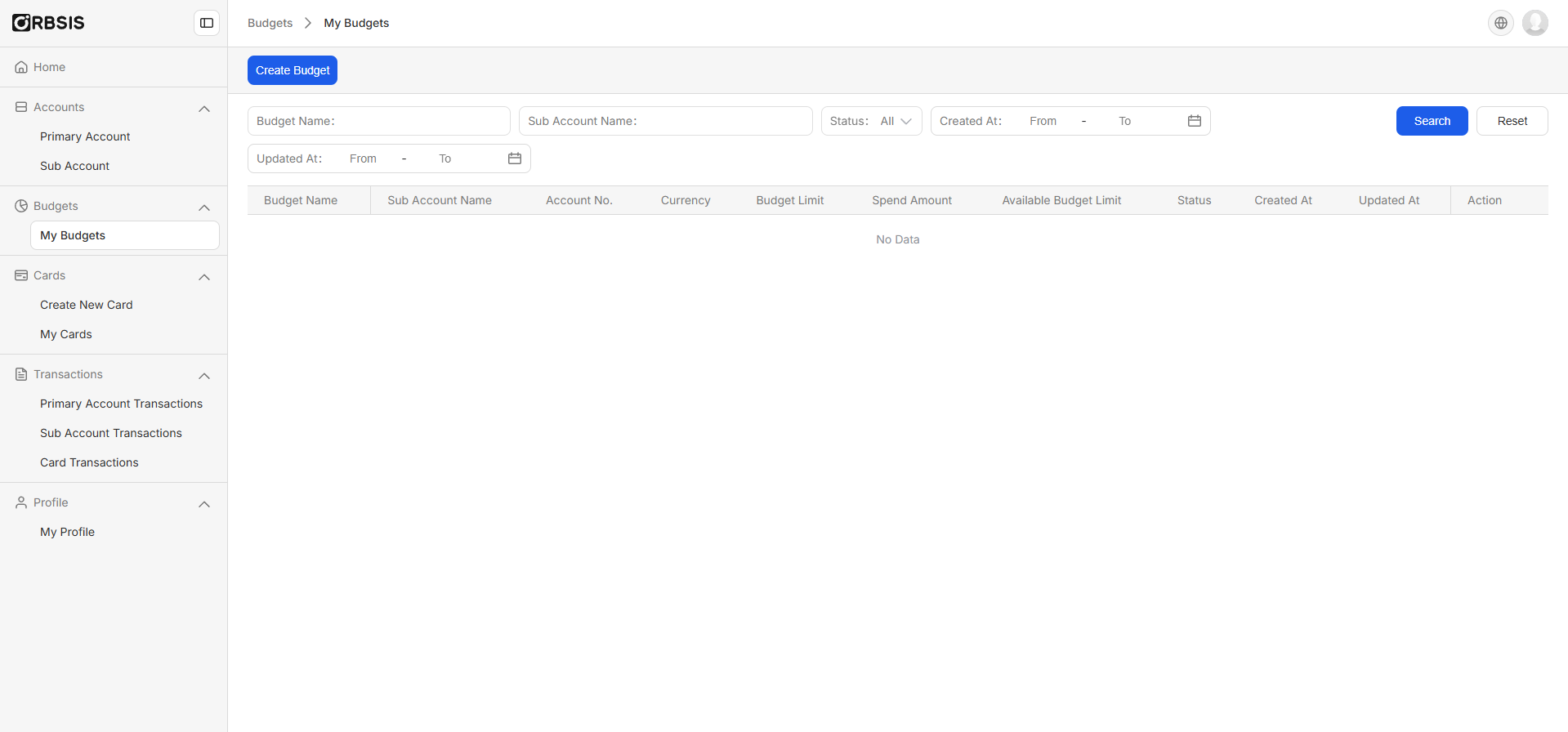
1. Via the sidebar navigation, click Budget Management > Create Budget
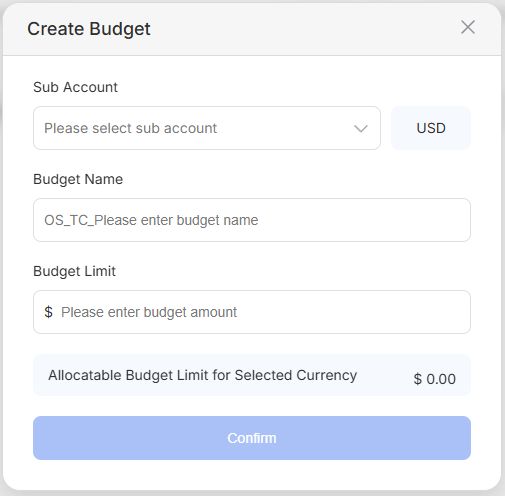
2. Select the Sub Account to associate with the budget, and set the budget name and limit
3. Budget successfully created