How do I create a Sub Account?
Businesses can create unlimited Sub Accounts at any time based on business needs. ORBSIS provides two entry points for your convenience: you can initiate the process from the Primary Account management page or directly from the Sub Account management page.
Creating from the Primary Account page
1. Via the sidebar navigation, click Primary Account > Create Sub Account
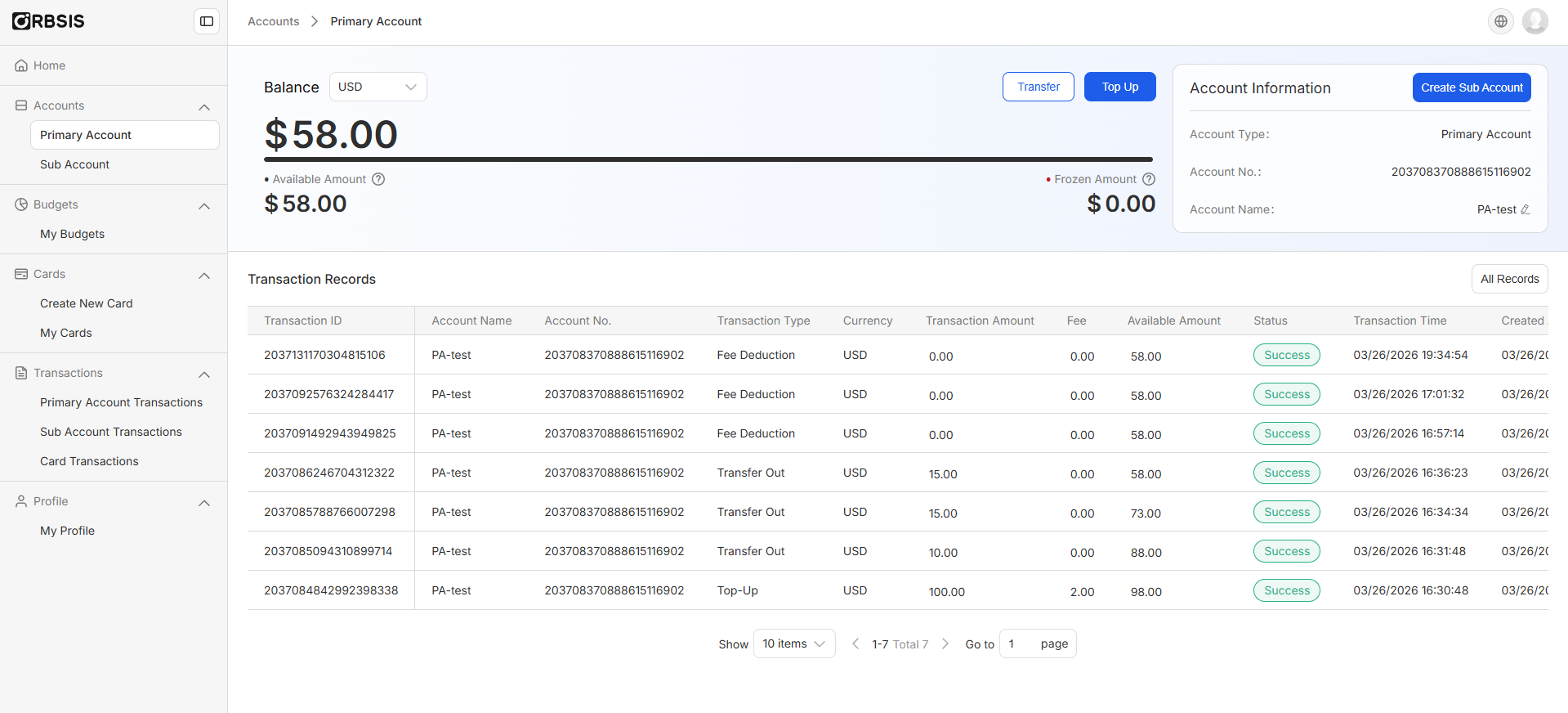
2. Enter the Sub Account name
3. Allocate initial funds to the Sub Account — the amount cannot exceed the available balance shown below, but it can be set to 0
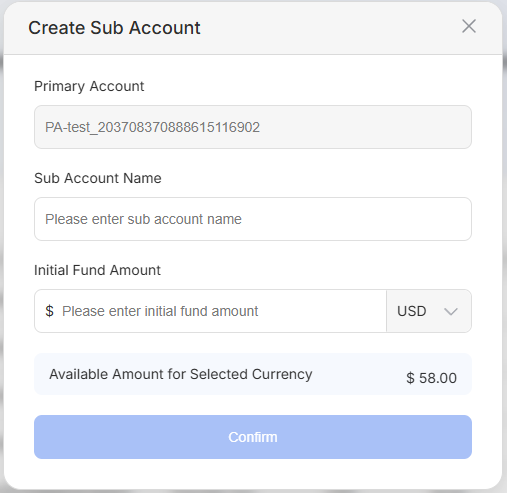
4. Sub Account successfully created
Creating from the Sub Account page
1. Via the sidebar navigation, click Sub Account > Create Sub Account
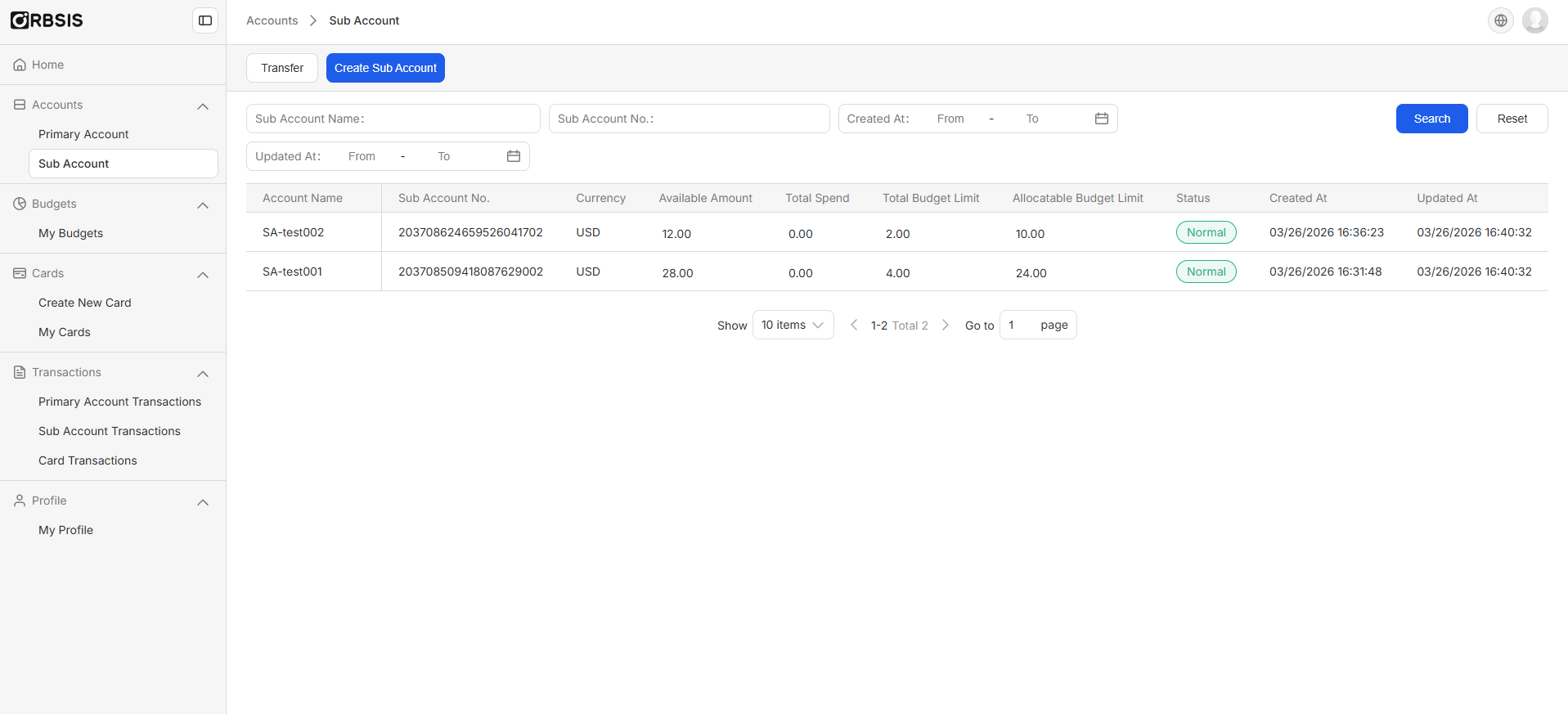
2. Select the associated Primary Account
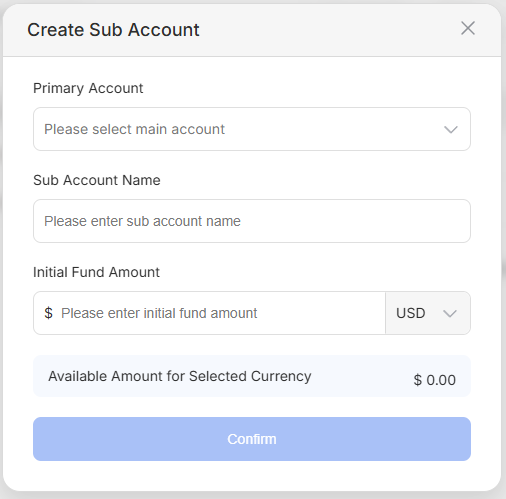
3. Enter the Sub Account name
4. Allocate initial funds to the Sub Account — the amount cannot exceed the available balance shown below, but it can be set to 0
5. Sub Account successfully created