How do I top up my account?
You can initiate a top-up at any time, 24 hours a day. Funds arrive quickly once the top-up amount is confirmed. The process is available around the clock without business hour restrictions and requires no manual handling by customer service.
Steps
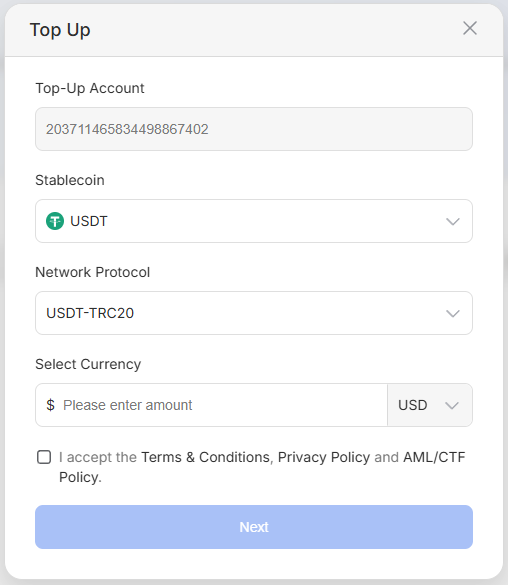
1. On the Primary Account page, click the Top Up button and select the virtual currency and network protocol
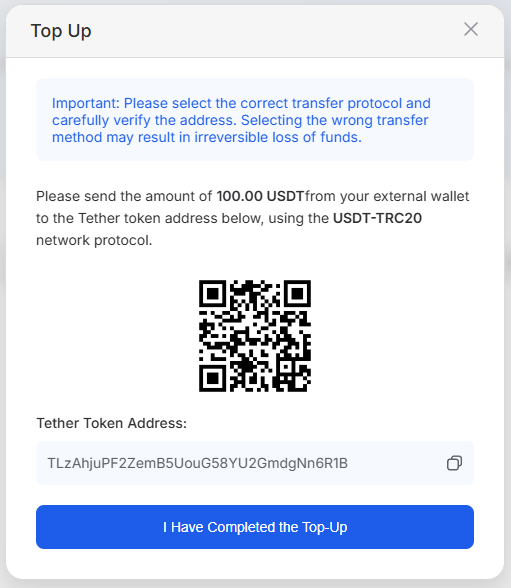
2. Verify the token address is correct, then scan the QR code to complete the top-up
3. After the top-up is successful, the account will be automatically updated. You can view the top-up record on the Primary Account page.
warning
⚠️ Important: Please select the correct network protocol and carefully verify the address, as selecting the wrong transmission method may result in funds being unrecoverable.