System and Permission Management
What Are System and Permission Management
This chapter covers managing users, roles, departments, and menu permissions, as well as reviewing audit logs and Notifications and Announcements.
Why Permissions Should Follow the Principle of Least Privilege
Incorrect permission settings may give sensitive-operation access to people who should not have it, or prevent colleagues from completing work that requires collaboration. Audit logs provide the key evidence for tracing who did what and when; configuration changes should be recorded at the same time.
How to Manage Users, Permissions, and Logs
User Management
User Management is used to create and edit accounts, enable or disable them, and reset passwords. Update accounts and permissions promptly when someone leaves or changes responsibilities.
Confirm the user’s identity, work email, department, and position.
Assign the minimum role required to complete the work.
Before resetting a password or disabling an account, confirm the scope of impact.
After the change, use the audit logs to confirm that the operation was recorded.
UserManagement:Users, Departments, and Status List
Roles, Departments, and Positions
Roles determine what a user can do, while departments and positions organize personnel and ownership. Design roles by responsibility and avoid creating long-term exception permissions for an individual.
RoleManagement:Role、Permission Count and Status
DepartmentManagement:Departments, Owners, and Headcount
PositionManagement:Positions, Codes, and Status
Menu Management
Menu Management controls the platform navigation structure, display status, order, and routes. Incorrect settings may hide an entry or cause navigation failures, so validate changes in a test environment first.
| Before changing a menu, check its parent menu, menu Type, route, order, Enabled Status, and display rules; these all affect final navigation. For external links, also verify the target address and access permissions. |
Menu Management: Platform Menu Tree and Display Status
Menu Management: Top-level Menu List and Order
Audit Logs
Audit logs answer who performed what operation on which object and when. When investigating configuration, fund, or permission issues, first narrow the records by object, operation type, operator, and time range.
Audit Logs: Operation Time, Object, and Operator
Audit Logs: Individual Operation Details
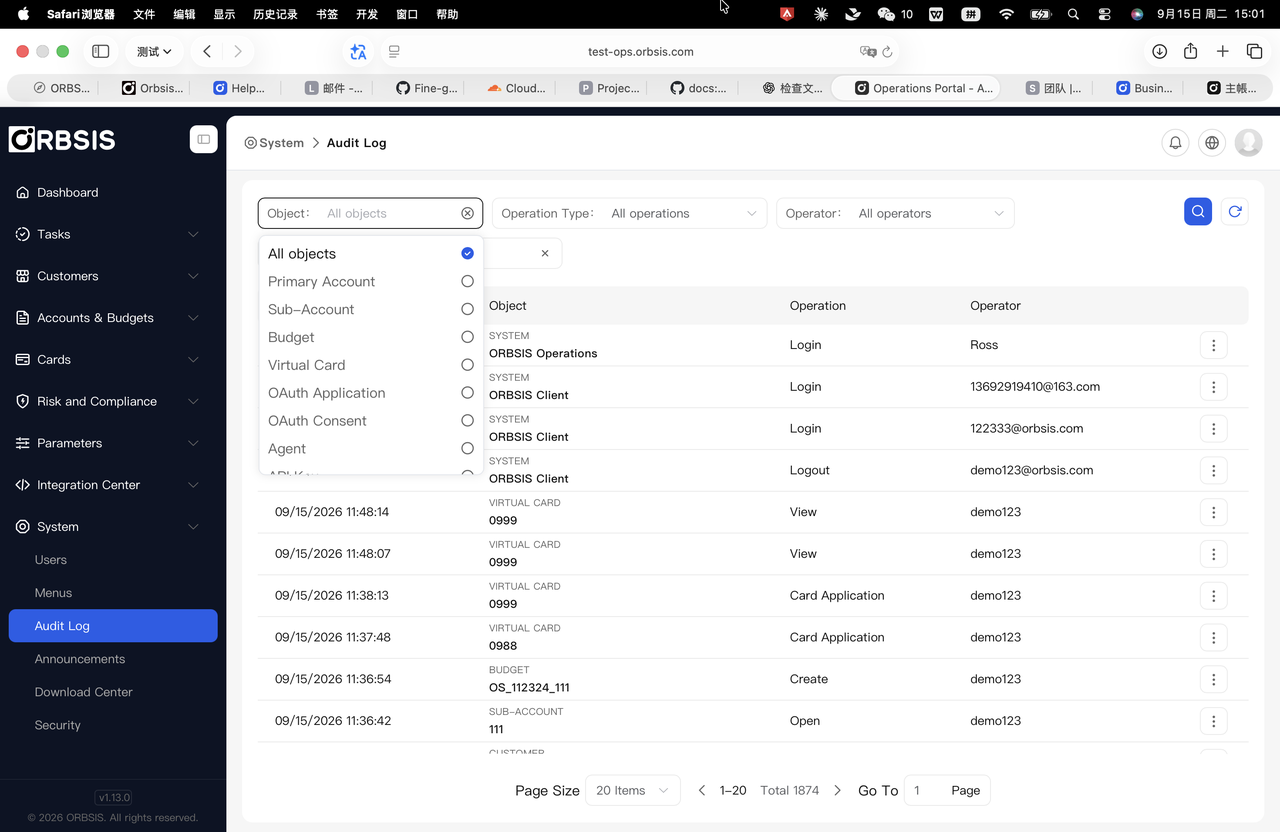
Audit Logs: Operation Object Filter
Audit Logs: Operation Type Filter
Audit Logs: Operator Filter
Notifications and Announcements
Notifications and Announcements publish operational information to a specified platform or user group. When creating an announcement, select the correct format, type, display method, and target scope, and preview the content.
Define the audience, purpose, and validity period.
Select the announcement format and type, and enter a concise title and actionable body.
For maintenance, incidents, or important changes, clearly state the time, scope of impact, and actions users need to take.
Confirm the status after publishing and take expired announcements offline promptly.
Announcements:Announcement List and Publication Status
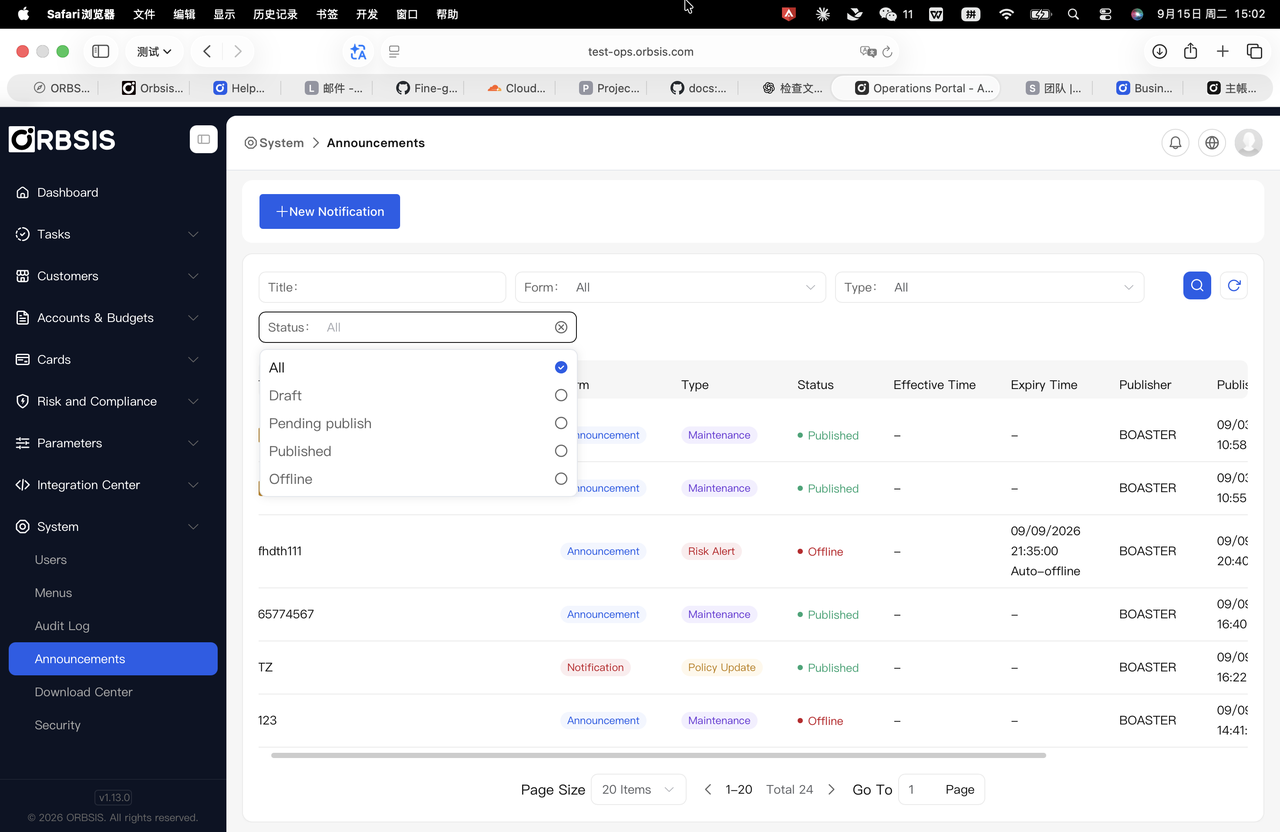
Announcements:StatusFilter
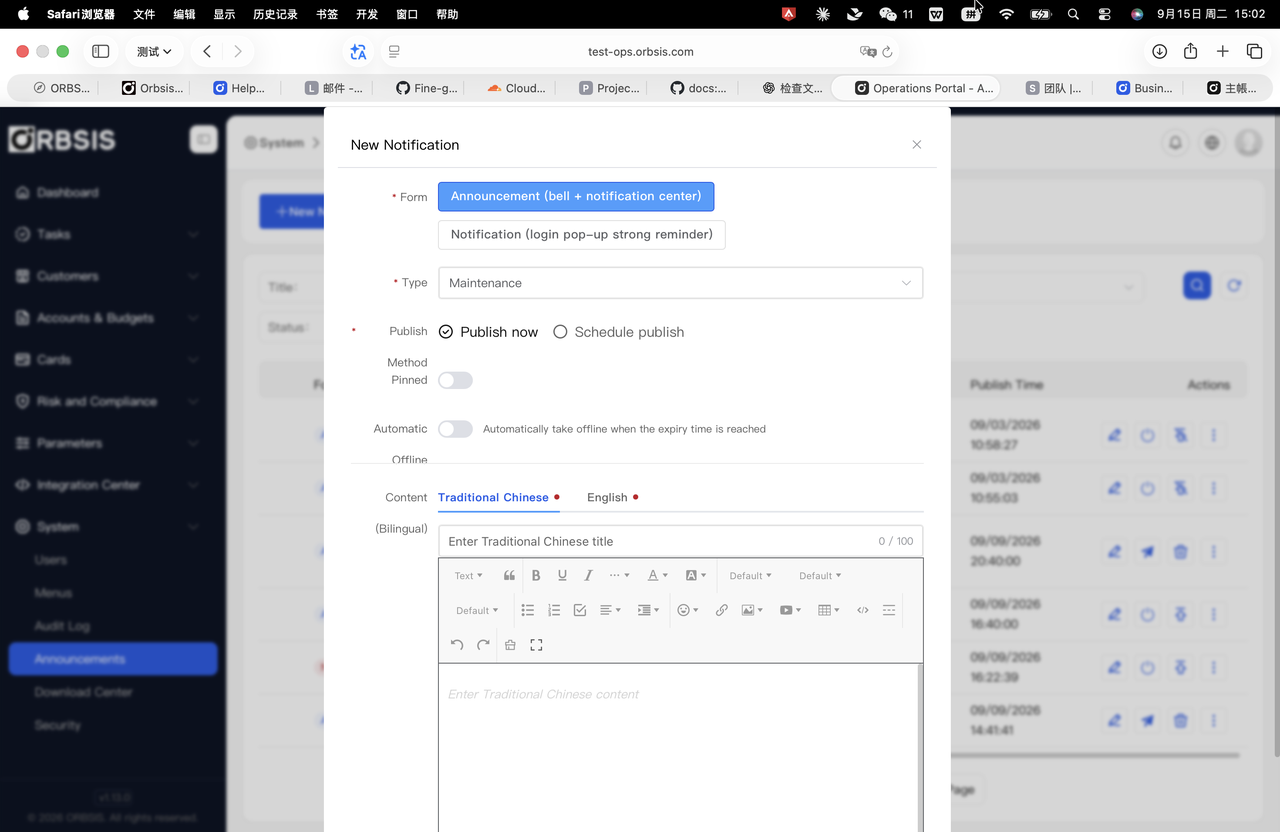
Announcements:Create Announcement
Announcements:Announcement Format Filter
Announcements:Announcement Type Filter