Find & View Customers
An Entity is the root business object on the platform. Accounts, budgets, and cards all belong to an Entity.
Customer Information Query is used to review all existing Entity profiles on the platform, including KYB verification information, registration information, and Entity status.
Entry
Left navigation:
Customer Management → Customer Information Query
Common Filters
Use the following conditions to locate an Entity:
- Entity ID
- Entity Name
- Entity Short Name
- Registration Time Range
- Entity Status
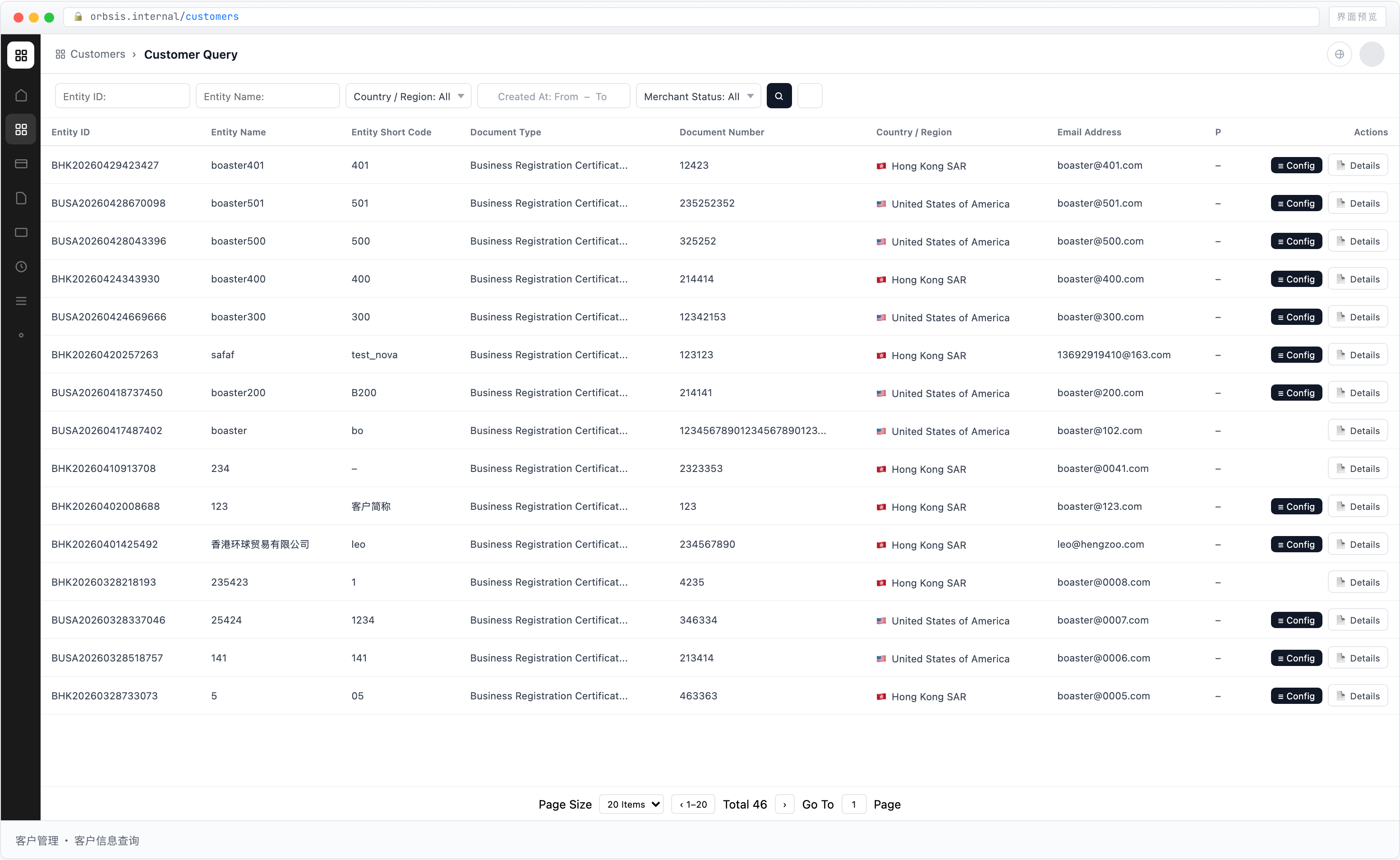
Field Reference
| Field | Description |
|---|---|
| Entity ID | Unique identifier generated automatically by the system. It cannot be modified |
| Entity Name | Full registered name of the Entity, sourced from KYB verification data |
| Entity Short Name | Short identifier entered by an operations user when verification is approved. It is used to quickly identify the Entity across account, budget, card, and other modules |
| Document Type | Type of KYB verification document submitted by the Entity |
| Document Number | Unique number of the corresponding verification document |
| Country / Region | Country or region where the Entity is registered |
| Registered email address of the Entity, used for platform notifications and identity verification |
Entity Status
| Status | Description |
|---|---|
| Unverified | The Entity has registered but has not completed KYB verification and is not yet eligible to open an account |
| Verification Failed | The submitted KYB information was rejected after review and the Entity cannot be onboarded |
| Active | The Entity has passed KYB verification and is in normal operating status, with access to platform functions |
Use Cases
When Customer Support or Finance receives a customer inquiry, first locate the customer on this page, then navigate to the corresponding account, budget, or transaction page for further investigation.