Review Business Verification
Customer Verification Review is used to review newly submitted Entity verification information, including company details, legal representative / beneficial owner information, and industry categories.
Reviewers decide whether to approve, return, or reject the submission based on the submitted information.
Entry
Left navigation:
Customer Management → Customer Verification Review
Review Rules
Before starting the formal review, the reviewer must first claim the pending review record.
The platform follows the rule:
Whoever claims the case is responsible for reviewing it.
After a record is claimed, the corresponding reviewer completes the verification review.
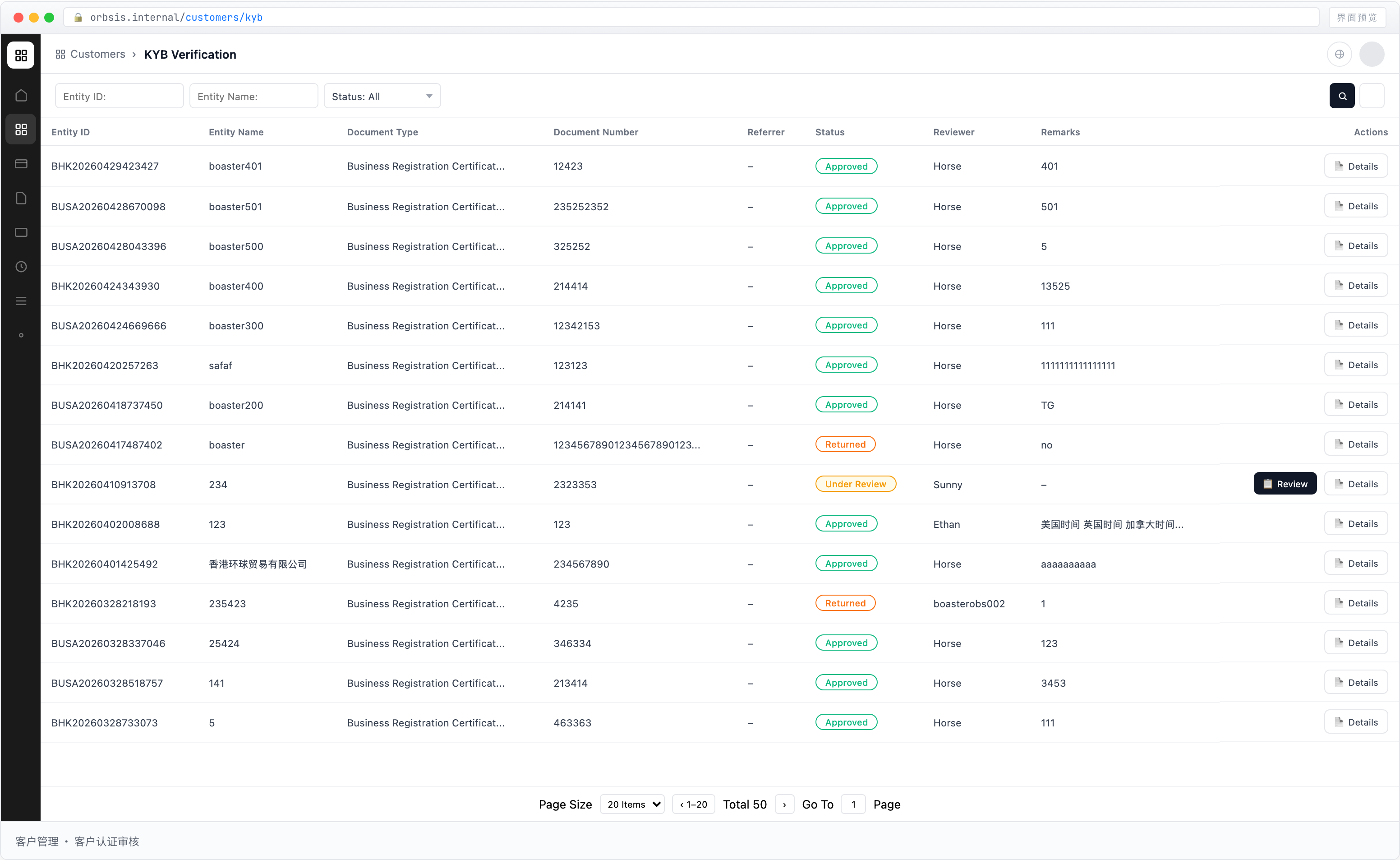
Review Results
| Result | Description |
|---|---|
| Approved | The KYB information has been verified successfully. After approval, the Entity status changes to Active, and the Entity can open accounts and use platform functions |
| Returned for Revision | The information is incomplete or requires clarification. The Entity must supplement the required materials and submit again. The reviewer must state the reason in the remarks, and the Entity remains Unverified |
| Rejected | The KYB information is rejected after review. The Entity cannot be onboarded, and its status changes to Verification Failed |
Review Actions
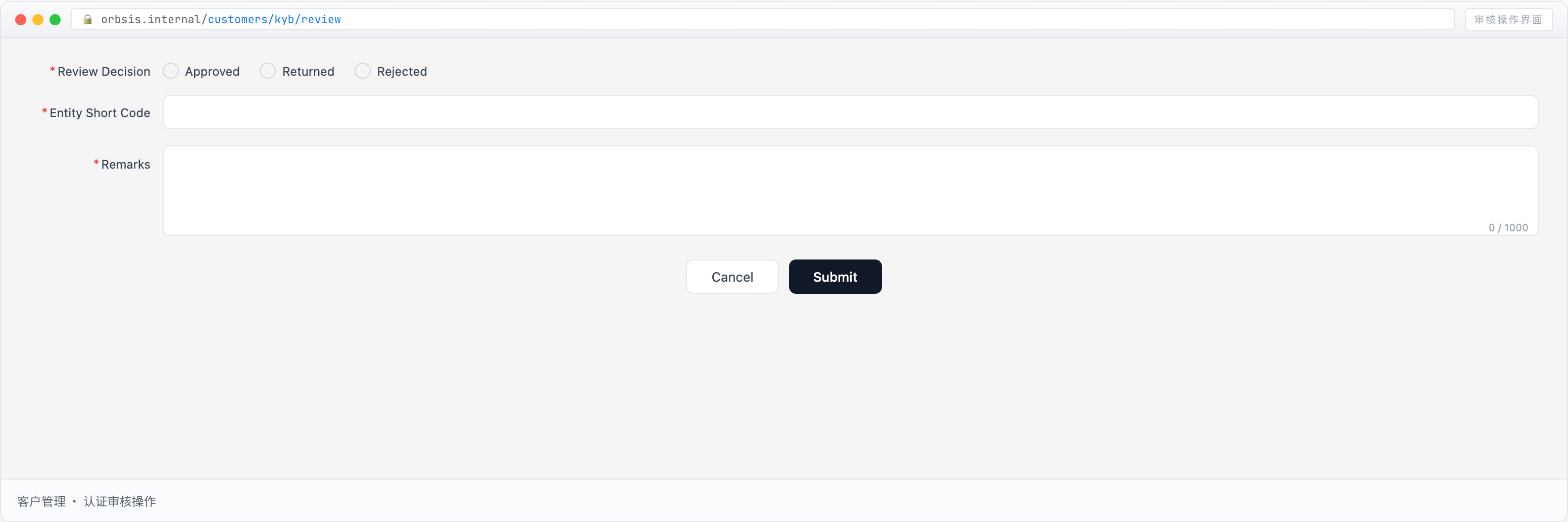
Review Decision
Required.
Select the result of the current review:
- Approved: The submitted information has been verified and the Entity is approved for onboarding
- Returned for Revision: The information is incomplete or questionable and must be supplemented before resubmission
- Rejected: The information does not meet onboarding requirements and the Entity cannot be onboarded
Entity Short Name
Set a unique short identifier for the Entity within the platform.
The Entity Short Name is used to quickly identify the Entity across account, budget, card, and other modules.
After approval, this field becomes the permanent identifier for the Entity, so enter it carefully.
Remarks
Required, with a maximum of 1,000 characters.
- For an approved review, record any relevant review notes
- For a returned review, specify the missing or problematic items
- For a rejected review, explain why the Entity does not meet onboarding requirements
Remarks are retained for future audit and operation tracing.
:::danger Review Discipline
Verification review directly affects the platform's risk-control standards.
Reviewers must verify the authenticity of submitted materials item by item.
If any material is questionable, select Returned for Revision and require the Entity to provide additional documentation instead of approving it directly.
All related actions can be traced through the system audit log.
:::